
Agora Unreal tools Documentation
_1763400074.png)
Agora.Studio is excited to release a set of tools designed by animators, for animators! Each tool is dockable anywhere you’d like, and we also provide them through a shelf if you prefer. These tools are designed to streamline the animator’s workflow.
Installation
To install:
- Visit our tool's FAB asset page to add our plugin to your library and to your project
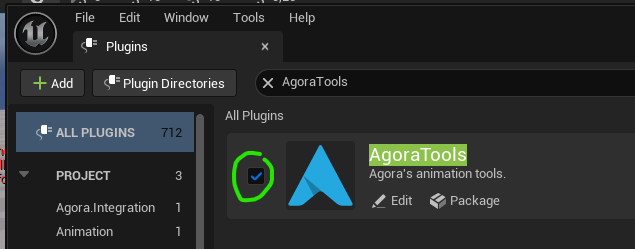
- In Unreal Engine, make sure it is enabled in your Plugins window.
- You should see an Agora Tools menu the next time you open Unreal Engine.
_1763399013.png)
To uninstall:
Simply deactivate the plugin from your Plugins window.
If you were using any anim locators in your scenes, be sure to bake them back to local transforms before turning the plugin off; otherwise, you will lose animation.
UI
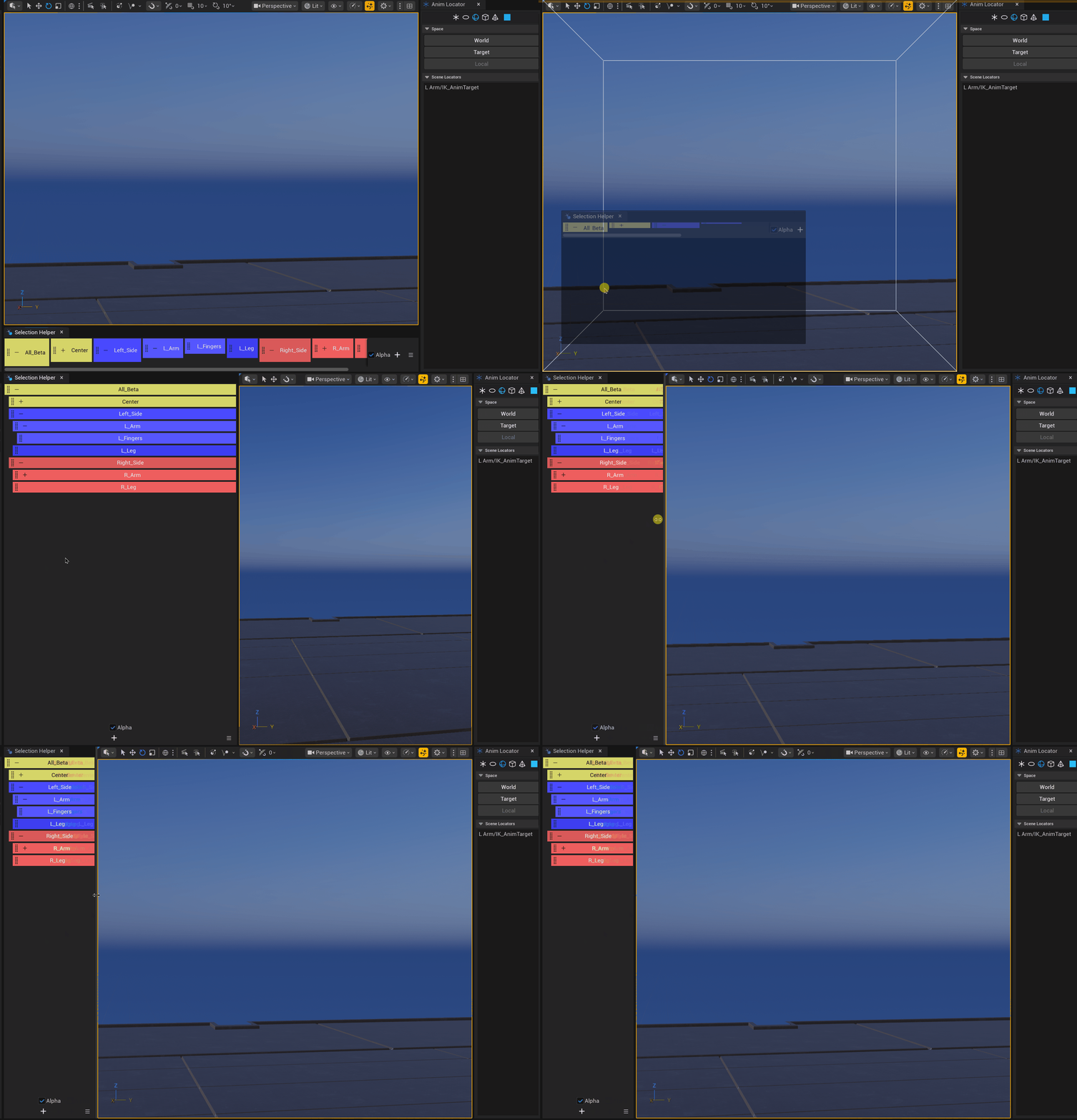
Most tools open in their own floating UI, which you can dock like any other Unreal dockable window.
Some tools can be used in either horizontal or vertical orientation.
Anim Locator
Create controllers quickly to drive your rig controls under different spaces. Decide whether a controller should work in world space or inside another object’s space. Navigate and select your created locators intuitively through the integrated list.
- Create locators driving your active controllers while maintaining their motion
- Create detached controllers that match an object’s animation without creating constraints (Right-click the World button)
- Quickly drive a controller into another controller’s space
- Customize locator colors and shapes
- View all locators in your current sequence within a list
Selection Sets
Let artists save and organize their selection sets quickly. Users can customize the color and name of each button, and organize them using a parent/child hierarchy. Selecting a parent will also select all its children.
- Save selection sets into buttons
- Customize button colors and names
- Organize sets hierarchically using parent-child relationships
- Create various groups depending
- Dock the UI vertically or horizontally
Advanced:
Selection sets are stored in a JSON file inside your project directory: [Project]/Saved\AgoraTools\SelectionHelper\Sets.json
Match
A convenient tool to match an object’s transform to another with as few clicks as possible! Select object A, click the Match tool, then select target object B — and voilà! Object A matches object B’s transform.
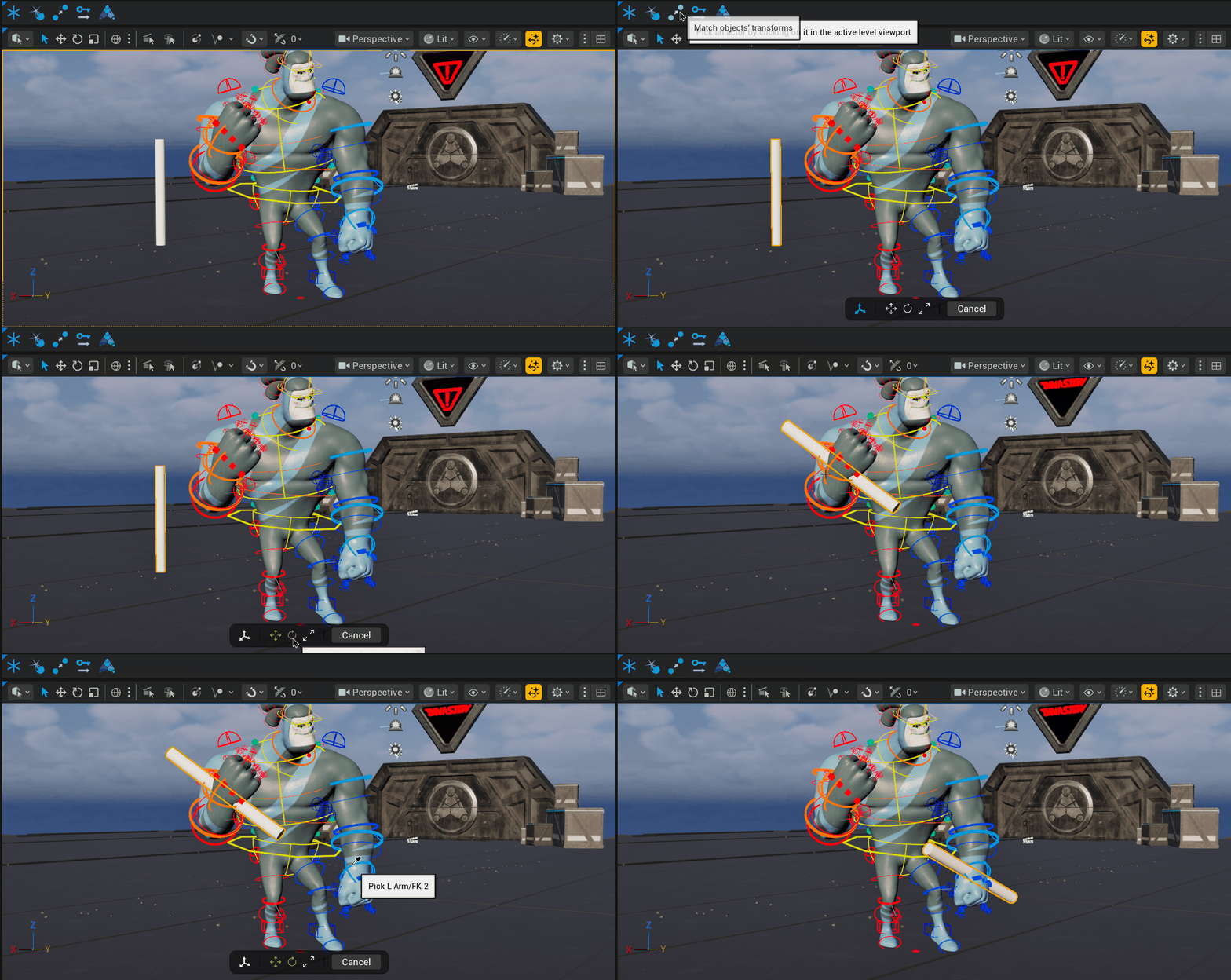
- Match one object’s transform to another in 2 clicks
- Choose whether to exclude translation, rotation, or scale
Key Offset
Offset your selected object’s keys quickly and precisely by any number of frames. The tool detects whether you have Graph Editor keys, Sequencer keys, or just objects selected, and offsets accordingly.
- Offset keys by a chosen frame amount
- Choose whether to affect keys before the current time, after it, or both
- Works on selected graph curves, selected sequence keys, or the selected object (in this order of priority)
license
These tools are released for free and can be used in both commercial and personal projects.
We are using the Standard License — see the referenced page for more details.
Page updated 9 months ago